

With Christmas just around the corner, I thought I’d treat myself and my wife to a little Christmas with the Griswold’s. We all know the movie “Christmas Vacation” with Chevy Chase and Beverly D’Angelo. Whether you’re a fan of Chevy or not, is not my concern. I am a fan. I love the guy! I love the Vacation movies. There was always just something about him that possibly reminded me of my own father. I love him.
So anyway, I purchased a ticket to have an hour of fun with them discussing the movie and answering questions with others over the Zoom app and I had also upgraded to have a one on one meet and greet with a photo taken via Zoom. I couldn’t have been more excited! This is an awesome Christmas movie played multiple times during the season! I have to admit to watching this in the off season as well. *wink-wink*
I pulled out our fancy-schmancy xmas shirts, hats, shorts, etc. I made a huge poster by hand that read “Christmas with the Griswold’s” and hung it up behind the chairs we were sitting on in front of the computer.

Poster for the Zoom show. Smaller image shows size. All done by hand.
I had everything all set up, planned! Etc.
It was being held live over Zoom from America. 8pm Eastern time on Saturday evening which equates to 11am Sunday morning for us Aussies.
I woke up, set up the table, set up the computer, plugged it in for power so it wouldn’t drain. Updated the Zoom software, jumped into system preferences of Zoom and selected the Logitech C9?? camera. It was great! Wider then the FaceTime camera, was able to adjust the lighting, got to make my skin look flawless, everything was set up and ready to go.
I even set up a tripod with my iPhone camera to record us watching the show. I air-played it to our 65″ tv so the iPhone camera would see the screen of the computer. It was awesome!
The time came… I signed into Zoom. Christmas music was playing with just a splash screen of the Christmas Vacation movie poster. Then slowly people started to appear in Zoom from all over the world. But… my video light was not on. We were not showing in the meeting. Panic started to hit.
I immediately went into troubleshooting mode and checked everything over. I jumped into the Zoom preferences, selected Video and the light came on, we could see ourselves but the minute I closed the preference window, the light would go off. I tried with both the Logitech Camera and my normal FaceTime camera, same issue happened. I stopped air playing to our TV, that didn’t work either. I restarted computer… nothing! The camera just would not show US!
Jumped into my Mac’s system preferences and went into privacy settings and “allowed” Zoom to access camera/microphone but it was already selected. I’m now on the verge of tears. No one can see us, we are off camera. I have this awesome poster I made and Chevy and Beverly can’t see it! It didn’t matter how much troubleshooting I did, the video would not activate in Zoom. My heart was aching and I could feel tears and anger rising up from the depths of my inner hell. We could watch the show and see everyone else but my heart was geared towards the end… the Meet and Greet. As I write this now, my heart is just crushed!
About half way through the first hour I jumped on my iPad. I tried to see if I could get the zoom meeting set up on that but just accessing the link from the email spun me in a non-stop of loops. Click the link, launches a webpage, click to start meeting but then looped me back to a new email to register… again. I wound up with about 8 emails from that endless loop. I tossed that and the sulking began. I forgot that my iPhone was still recording so I got up to turn that off. No point now. When I went to take the iPhone off the tri-pod the iPhone had sagged/drooped in the holder and was recording the floor!
Could anything else have gone wrong?
Needless to say, we did enjoy the first hour, however upset and angry and hurt I was it was good to hear the stories behind the scenes of the movie but when it was time for the meet and greet, I knew it wouldn’t happen. I closed the lid to my computer, dismantled everything, went into the bathroom and cried.
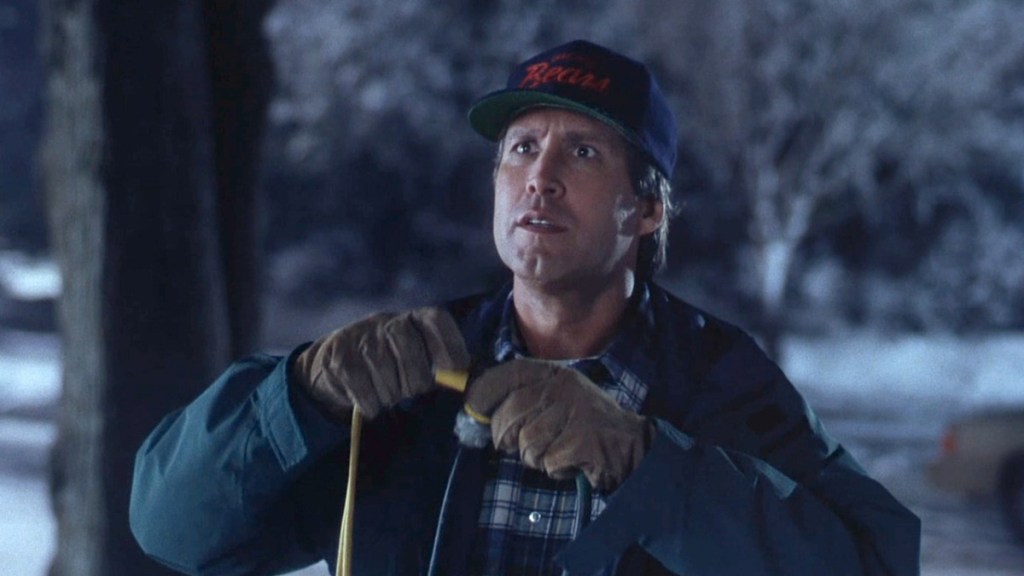
Why isn’t it working? I knew how he felt in this scene.
I don’t know that I’ll ever trust this sort of event with a Zoom app or WebEx app ever again.
My computer specs and troubleshooting: Latest release of Zoom (updated it the morning of), Tested the video, but as I mentioned the light would go off the moment I closed Zoom preferences. Checked my system preferences under the privacy section. Allowed Zoom to access mic and camera. Mac Specs: MacBook Pro 2020 with new M1 Silicon Chip. iPhone 12 Pro Max with an Apple TV HD. Air played to start with but when video didn’t work, turned off airplay but issue persists. iPad Pro 12.9″ with iOS 14.3





Leave a comment